
Favicon Guides: Sizes, Formats, Platforms and Fixes
Source-led, practical guidance for designers, developers, site owners, and anyone staring at a stubborn generic globe in their browser tab.
Compatibility claims with downloadable evidence.
See the package baseline, ICO assertions, platform matrix, methodology, limitations, and raw JSON or CSV.
 Editor's essential
Favicon Sizes in 2026: The Practical File Set
Stop exporting every historical dimension. Use a lean set that covers tabs, search, Apple touch icons, and installable web apps.
Read the guide →Favicon Essentials
The formats, sizes, markup, and design decisions behind a dependable site icon.
Open the favicon essentials hub →What Is a Favicon? The Small Icon With a Big Job
A favicon is the compact identity mark browsers, bookmarks, search results, and installed web apps use to represent a site.
Favicon Sizes in 2026: The Practical File Set
Stop exporting every historical dimension. Use a lean set that covers tabs, search, Apple touch icons, and installable web apps.
Favicon Formats Compared: SVG, PNG and ICO
The best favicon setup is a small, intentional stack of formats—not a winner-takes-all file.
Production Favicon Checklist: 15 Pre-Launch Tests
A pre-launch inspection list for artwork, files, metadata, crawling, and real-device rendering.
Favicon vs Logo, App Icon and Social Preview
Compare favicons, logos, Apple touch icons, PWA app icons and social preview images so each surface receives the right artwork, size and metadata.
Favicon History: From IE5 to Modern Browser Support
Trace the favicon from an Internet Explorer favorites feature to today’s layered browser, search, Apple, and installable-app icon system.
How to Install a Favicon Package From a Generator
Turn a downloaded favicon ZIP into verified production files by matching its inventory, HTML, manifest, paths, and caching policy to your deployment.
RealFaviconGenerator vs favicon.io vs Favicon.now
Compare three favicon generators by disclosed inputs, outputs, platform coverage, verification tools, automation, and privacy boundaries—not slogans.
Favicon Platform Guides
Exact placement and setup guidance for site builders, frameworks, and content systems.
Open the favicon platform guides hub →WordPress Favicon Guide: Add, Replace & Fix Site Icons
Set WordPress Site Icon through the current General Settings screen, account for older Customizer workflows, and verify the generated public files.
Shopify Favicon Guide: Upload, Publish & Fix the Icon
Add a Shopify favicon in Theme settings, understand the 32-pixel resize and preview limitations, then verify the published storefront and checkout surfaces.
How to Add a Favicon in Squarespace
Replace Squarespace’s default cube with a compliant PNG, optional dark-mode version, and a cache-tested browser icon that also meets search sizing needs.
How to Add a Favicon in Wix: Upload, Publish, Verify
Upload and publish a Wix favicon on a connected-domain Premium site, using the platform’s supported formats and 48-pixel sizing rule.
Webflow Favicon Guide: Upload, Publish & Verify
Use Webflow’s current one-image icon generator, optional dark-mode favicon, and publish workflow for tabs, search, Apple, and Android surfaces.
How to Add a Favicon to a Static HTML Website
Place the icon files at stable public URLs and declare them in the shared document head.
Next.js App Router Favicons: Files and Metadata
Use Next.js metadata file conventions for favicon.ico, icon files, Apple icons, and the web manifest.
How to Add a Favicon to React and Vite
Treat icons as public static assets, then declare them in the root HTML or framework metadata layer.
Chrome Favicons: Tabs, Android, PWAs, and Cache Checks
Install and troubleshoot Chrome favicons across desktop tabs, Android shortcuts, and manifest-driven progressive web apps.
Safari Favicons: Tabs, Pinned Tabs, and Apple Touch Icons
Cover Safari’s browser icon, pinned-tab, and iPhone or iPad home-screen surfaces without confusing their separate file roles.
How to Add a Favicon in Nuxt: Public Files and Head Tags
Serve favicon files unchanged from Nuxt’s public directory and declare stable icon metadata through app.head or useHead.
How to Add a Favicon in Astro: Public Files and Layouts
Place stable favicon files in Astro’s public directory and declare their root URLs in the shared layout head.
How to Add a Favicon in Vue and Vite
Keep favicon files at stable root URLs through Vite’s public directory, then declare the shared icon stack in index.html.
Angular Favicon Guide: Assets, HTML & Build Output
Use Angular’s copied public assets or explicit angular.json asset rules and keep icon declarations in the application document head.
SvelteKit Favicon Guide: Static Files & App HTML
Serve stable icon files from SvelteKit’s static directory and place the shared metadata in the root app template or layout head.
GitHub Pages Favicons: Base Paths and Deployment
Deploy favicon files with the published Pages source and handle the path difference between user sites, custom domains, and project sites.
Vercel Favicons: Static Files, Rewrites and CDN Cache
Ship favicon files as framework-managed public assets, verify preview and production domains, and understand deployment-scoped CDN caching.
Cloudflare Pages Favicons: Assets, Headers and Cache
Deploy icons as static assets, use _headers deliberately, and separate browser cache behavior from Pages’ deployment and CDN layers.
Django Favicon Guide: Static Files, Routes & HTML
Manage the favicon package through Django static files while preserving conventional root URLs at the web server or routing layer.
Flask Favicons: Static Files, Root Routes and Proxies
Serve icon assets through Flask’s static endpoint or explicit root routes and declare them once in the inherited base template.
Laravel Favicon Guide: Public Files, Blade & Caching
Place favicon files in Laravel’s public directory and declare root or asset-helper URLs in the shared Blade layout.
Favicons in Firefox: Tabs, Bookmarks, SVG, and Cache Testing
Install a standards-based icon stack for Firefox, then distinguish a broken public asset from an older icon retained by the browser cache.
Favicons in Microsoft Edge: Tabs, Favorites, PWAs, and Cache
Cover Chromium tab and install surfaces while accounting for Edge's separate saved-site icon lookup and cache behavior.
How to Add a Favicon to an Express Node.js App
Serve a complete favicon package through Express without letting catch-all routes, log noise, or aggressive caching hide broken icon responses.
How to Add a Favicon to a Flutter Web App
Replace Flutter web icon assets, update document metadata and manifest paths, then verify the compiled web output rather than only the source tree.
Favicon Troubleshooting Guides
A systematic way to fix missing, stale, blurry, or rejected favicons.
Open the favicon troubleshooting guides hub →Favicon Not Showing? Diagnose It in Seven Checks
Follow the request chain from HTML discovery to file response, image validity, caching, and platform-specific rules.
Favicon Not Showing in Google Search Results
Meet Google’s crawl, shape, size, stability, and homepage-discovery requirements—then allow time for recrawling.
How to Clear a Stubborn Favicon Cache
First prove the server is correct; then target the cache layer actually serving the stale icon.
Why Browsers Request /favicon.ico—and How to Stop the 404
Some clients still probe the site root even when explicit modern icons exist.
Favicon Cache Headers, Versioning and Rebrands
Control favicon caching with stable URLs, accurate Cache-Control and ETag responses, deliberate revalidation, and a safe release plan for brand changes.
Why Is My Favicon Not Showing on iPhone?
Separate Safari tab behavior from an iPhone home-screen Web Clip, then verify the Apple touch icon, public response, saved shortcut, and retained device state.
Why Is My Favicon Showing a Blank White Square?
A white square usually comes from lost transparency, white artwork on transparent pixels, an adaptive mask mismatch, or a fallback asset you never inspected.
Favicon Design Guides
Practical visual systems for an asset that often renders at only sixteen pixels.
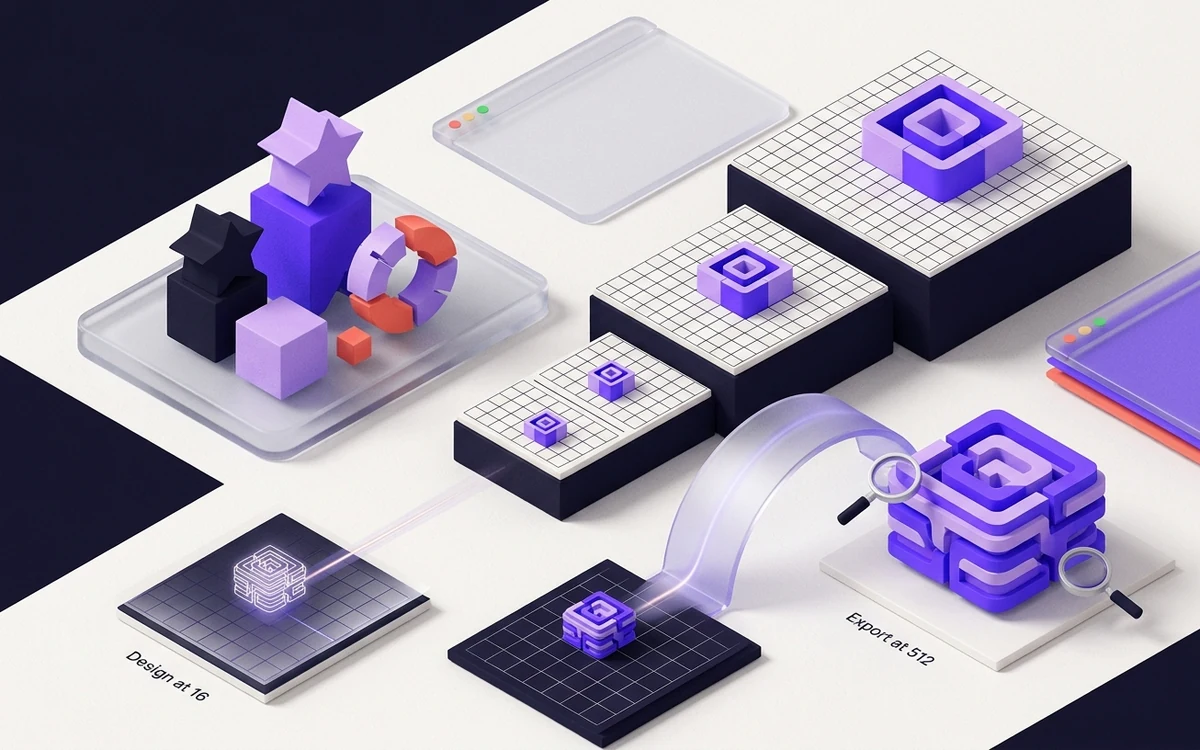
Open the favicon design guides hub →How to Design a Favicon That Survives 16×16
A field guide to silhouettes, optical weight, spacing, contrast, and ruthless simplification.
Dark Mode Favicons Without Invisible Logos
Use SVG media queries or a contrast-safe universal mark, then keep raster fallbacks predictable.
Accessible Favicon Design: Contrast, Motion, and Meaning
Favicons are decorative interface assets, but inclusive design still improves recognition for everyone.
Animated Favicons: Useful Status Signal or Gimmick?
Animation can communicate progress or alerts, but browser support, performance, and accessibility make it a specialist technique.
Case Study: Turning a Wordmark Into a 16px Favicon
A transparent design teardown showing why a full horizontal logo fails in a tab and how to select a stronger monogram without losing identity.
Case Study: A Transparent Mark Inside a Maskable Icon
A reproducible package test showing why transparent browser artwork needs a separate full-bleed maskable composition for adaptive app shapes.
How AI Favicon Generators Changed Icon Creation in 2026
AI speeds up concept exploration and cleanup, but favicon quality depends on rights, reduction, deterministic exports, native-size tests, and human selection.
Favicon Developer Guides
SVG, ICO, manifests, automated builds, and framework conventions without folklore.
Open the favicon developer guides hub →Favicon HTML Link Tags: Complete Code Reference
Use explicit icon links, accurate MIME types, a stable manifest URL, and root-relative paths.
Apple Touch Icons: Size, Markup, and Cropping
Use a dedicated 180×180 PNG with safe margins for iPhone and iPad home-screen shortcuts.
PWA and Maskable Icons: Designing for Adaptive Shapes
Manifest icons need explicit sizes and purpose values, while maskable artwork needs a protected central safe zone.
SVG Favicons: Crisp Icons, Dark Mode, and Safe Markup
SVG is the flexible modern browser icon—when it is self-contained, simple, and paired with a fallback.
Favicon ICO Format: Inside Multi-Resolution Icon Files
ICO is a container that lets one URL carry several pixel-perfect icon frames.
Favicon API Automation: Deterministic Generation in CI/CD
Make the master asset reproducible, validate outputs, and fail builds when metadata drifts.
Case Study: Replacing Legacy Favicon Files With a Lean Set
A measured comparison of the modern core package and the optional legacy-size export using the same deterministic artwork.
Safari Pinned Tab Icons, SVG Masks and Touch Icons
Separate Safari pinned-tab SVG masks from normal favicons and Apple touch icons, then test monochrome artwork, color metadata, paths and fallbacks.
Favicon MIME Types for ICO, SVG, PNG and Manifests
Map favicon extensions to correct HTTP Content-Type values, identify HTML rewrites and nosniff failures, and verify every deployed icon response.
Favicon Security: SVG Uploads, SSRF and Tracking
Secure favicon generators and checkers by sanitizing SVG, decoding untrusted images safely, blocking private-network fetches, and limiting tracking abuse.
How Browsers Choose Which Favicon to Display
Understand how icon links, format support, declared sizes, document context, and browser-specific surfaces influence favicon selection.
Manifest Icons vs HTML Link Tags: Which Should You Rely On?
Use HTML icon links for document-level browser identity and manifest icons for installed application surfaces; a production site often needs both.
Can Different Pages Use Different Favicons?
Different documents can declare different favicons, but host-level identity, caches, bookmarks, and search presentation make indiscriminate variation risky.
Can You Use an Emoji Directly as a Favicon?
An emoji can be wrapped in a self-contained SVG or data URL, but glyph variation, CSP, encoding, and platform artwork make a generated package more predictable.
Favicon Preloading and Performance: Measured Impact
Favicons are normally small and non-render-blocking; preloading one can duplicate work or steal priority, so measure requests before adding performance markup.
Build a Scalable Favicon System for a Multi-Site Brand
Define source ownership, design tokens, output contracts, tenant overrides, validation, and rollback so many sites can share identity without drifting.
Color Profiles in Favicon Files: Why They Matter
Normalize favicon artwork to a documented color space so tiny brand colors do not shift across PNG encoders, browsers, and operating-system surfaces.
Favicon HTTP Headers: Browser Requests and Server Responses
Trace favicon requests, conditional validators, MIME types, cache directives, redirects, and content negotiation without mixing up request and response headers.
Favicon Image Optimization: Formats, Compression, Byte Size
Reduce favicon transfer and decode cost without destroying alpha edges, small-scale contrast, ICO frames, or purpose-specific artwork in Apple and PWA files.
Base64 Inline Favicons vs External Files: Tradeoffs
Inline data URLs save one resource but increase HTML, weaken independent caching and observability, and do not replace Apple, manifest, or root fallback assets.