
Quick answer
Inspect the rendered head, copy the resolved icon URL, and request it directly. A 200 response is not enough: verify Content-Type, redirects, authentication, and case-sensitive paths.
- Last verified
- July 31, 2026
- Evidence
- Primary documentation plus transparent editorial analysis
- Primary sources
- 1
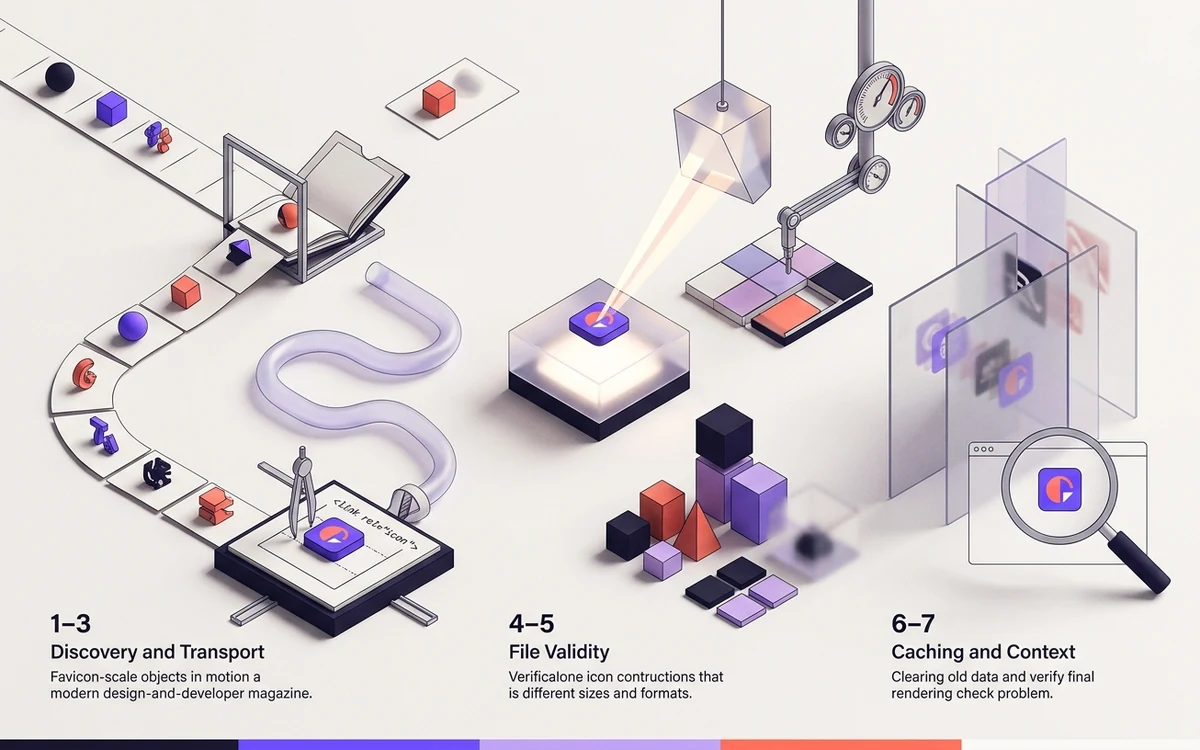
1–3: discovery and transport
Inspect the rendered head, copy the resolved icon URL, and request it directly. A 200 response is not enough: verify Content-Type, redirects, authentication, and case-sensitive paths.
Connected next stepFavicon Cache Headers, Versioning and Rebrands for the closest prerequisite or comparison.
4–5: file validity
Open the asset in an image inspector. Confirm it is square, decodes correctly, and matches the dimensions declared in sizes. Validate manifest JSON separately.
Connected next stepHow Browsers Choose Which Favicon to Display for the next connected implementation decision.
6–7: caching and context
Test a clean profile, then clear browser and CDN caches if the HTML is correct. Remember that browser tabs, Apple home screens, PWAs, and search results use different assets and update schedules.
Connected next stepOpen the most relevant production tool and verify the decision with a working output.
Map symptoms to the failing layer
A missing icon on every page suggests discovery or transport. Failure only on nested pages points to relative paths. A correct fresh profile with an old existing profile points to client cache, while a correct tab and missing home-screen icon points to the Apple or manifest layer.
Write down the observed surface before changing files. This prevents a search-engine refresh delay from being treated as an ICO error or a browser cache issue from triggering unnecessary server changes.
Collect a minimal diagnostic record
Save the rendered link elements, resolved URLs, response status, Content-Type, decoded dimensions, ICO frame list, and manifest parse result. Compare the bytes served through the public CDN with the file in the build artifact.
After correcting the earliest failing layer, retest without changing unrelated filenames. A single controlled change gives stronger evidence than replacing the entire package and clearing every cache at once.
Review the headings, sources, implementation artifact, and update record for this guide as structured JSON.
Download guide evidence ↓- Guide
- Favicon Not Showing? Diagnose It in Seven Checks
- Coverage
- Client behavior can change by browser, operating system, platform version, cache state and deployment configuration. Unperformed manual observations are not claimed.
Questions, answered
Why does it work on one page only?+
A relative icon path likely resolves differently on nested routes.
Why does it work locally but not in production?+
Check case sensitivity, base paths, CDN rewrites, and deployed build output.